This guide explains how to join online math classes through the Vedamo platform. It covers accessing the session link from your email, joining as a guest with your first name, enabling camera and microphone permissions, and waiting for mentor approval. The document includes step-by-step instructions with visual guidance and browser-specific settings.
Access via the joining link
To join your session, click on the Vedamo session link sent to you in your weekly session reminder email (subject line “Your Maths Circle is Today”)
Note: If click the link earlier than the session is due to start, and the mentor has not started the session, you may be redirected to a login page. Do not attempt to log in or create an account. You will only ever join as a guest.
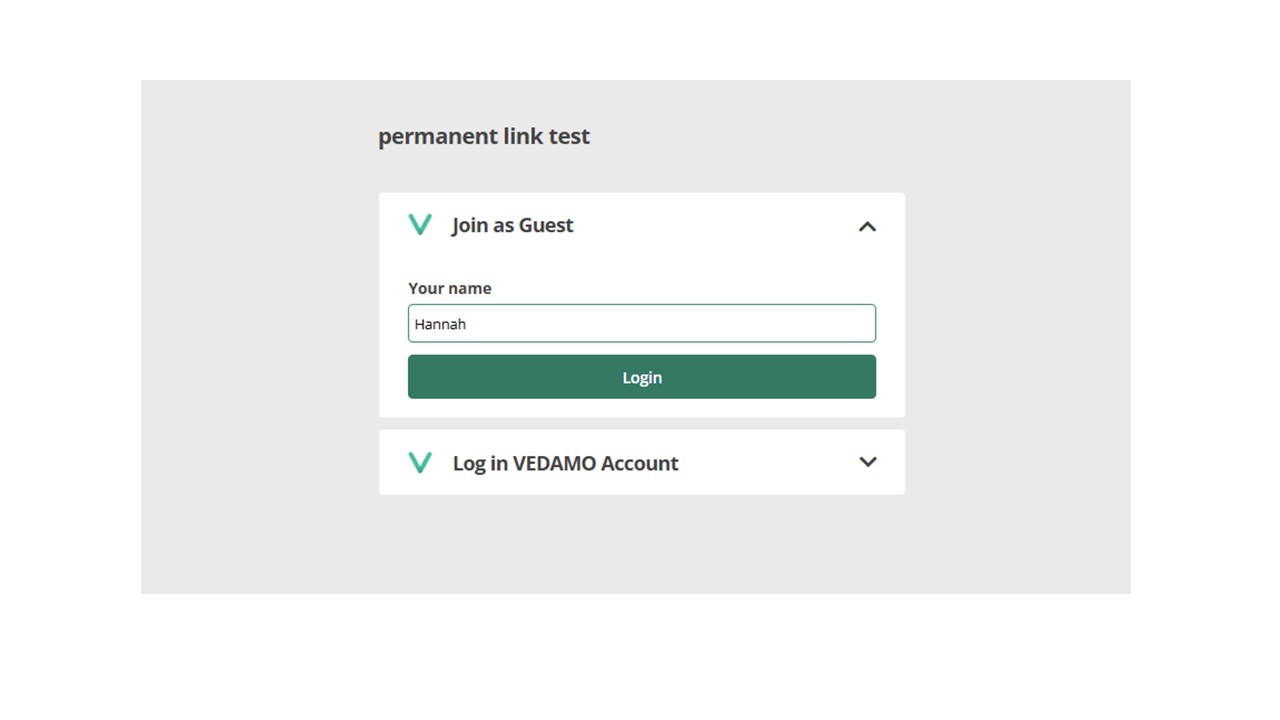
- When you click the link, you should be redirected to the following page – make sure to “Join as Guest” using your first name only
If there is no option to join as a guest, this means you have accessed the session too early. You may need to clear your browser history and re-access the link. For steps on how to clear your browser history, see here.
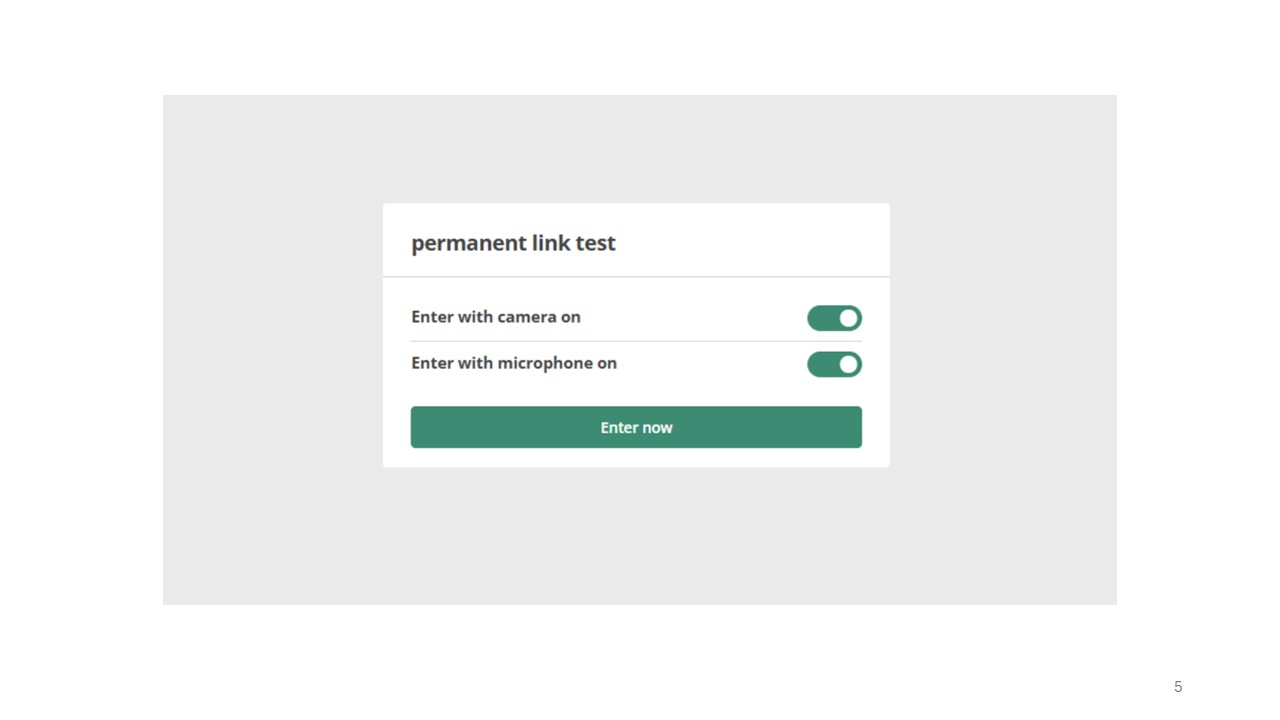
- You will then be asked if you would like to enter the room with your camera and microphone on. Make sure to click the toggle to the right for both and press “Enter now.”
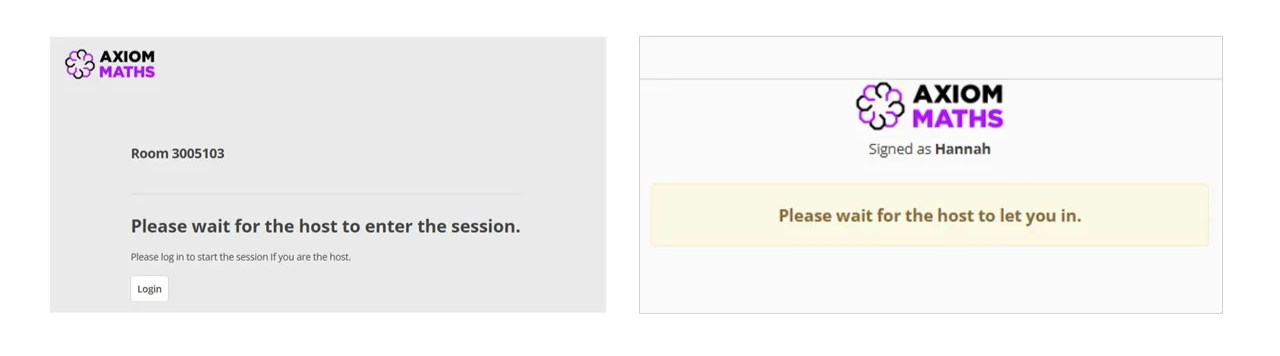
- Once you have clicked enter now, you will be redirected to the waiting room where one of the following messages will appear:
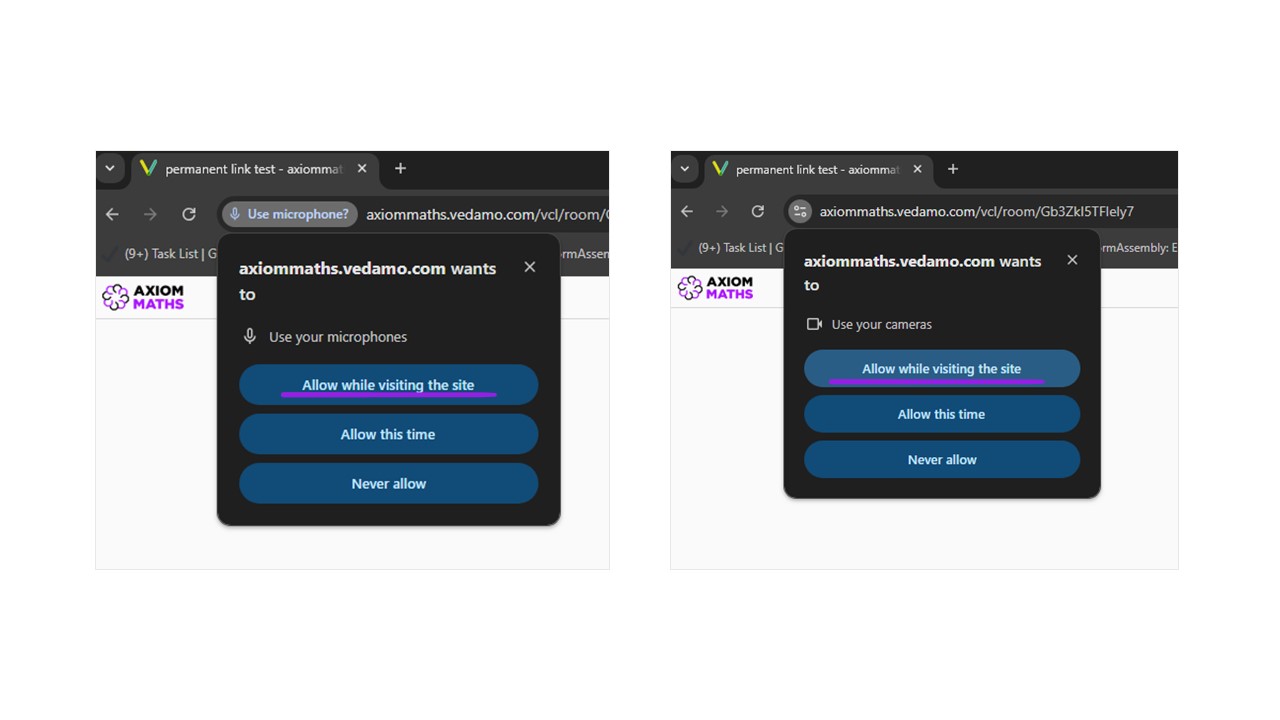
- When accepted into the session, allow your browser to access the camera and microphone when prompted.
Google Chrome (recommended)